Devices and official downloads
- iPhone and iPad
- iOS or iPadOS 17.0 or later. Check the App Store listing for your device.
- Android
- Android 7.0 or later. Check Google Play for compatibility on your device.
- Developer
- Spawn Lau. This site describes the mobile app, also listed as Cloakshot: Screenshot Redactor.
- Product identity
- App Store ID: 6804526625. Google Play package: me.aside0.privacyshareguard. Spawn Lau does not offer a Cloakshot browser extension.
- Account
- No Cloakshot account or sign-in is needed. Purchases and restores use your App Store or Google Play account.
What is free, and when Pro is needed
| Access | What you can do |
|---|---|
| Free tools | Scan an image, check suggested findings, edit or add masks, and inspect photo metadata. |
| Active trial | Save and share redacted copies during an eligible 14-day device trial. |
| Pro Lifetime | Unlimited exports with a one-time purchase, without a subscription or automatic renewal. |
US App Store reference price: USD 9.99 for Pro Lifetime, checked October 6, 2026.
Regional and Google Play prices can differ. The Cloakshot Pro screen shows the offer and price that apply to your device.
Free scanning and editing do not include permanent free export. Saving or sharing a redacted copy requires an active eligible trial or Pro Lifetime.
The trial does not turn into a purchase
Eligible iOS and Android devices can start a 14-day trial after an online device check. It needs no payment details and does not renew automatically. After it ends, scanning and editing stay free. You can choose to buy Pro separately.
Restoring a purchase
Use Restore Purchases while signed in to the same store account used to buy Pro. The app has no sign-in account for transferring a purchase between the App Store and Google Play. Buying and restoring access need an internet connection.
Images stay on your device
Cloakshot scans images and applies masks locally. It does not upload your images or scan results. iOS uses Apple Vision; Android uses bundled ML Kit, alongside local rules and bundled models.
Network access is used to start or restore a device trial and to purchase or restore Pro. RevenueCat checks anonymous purchase status. Android ML Kit may send diagnostic and usage metrics to Google, without sending images or scan results.
No Cloakshot account, advertising tracker, developer-operated behavior analytics or crash-reporting SDK is required. Read the Privacy Policy for the full data practices.
What the exported file contains
The main app writes the selected masks into a new PNG. They become pixels in the copy, rather than separate editing layers. The original image remains unchanged.
You can select supported metadata categories for removal. Selected-edit checks, metadata checks and a second scan help you review the output. They do not guarantee that every private detail or every metadata field has been found.
For an API key, token or password, choose Solid black and check the complete covered region in the exported file. Blur or pixelation can be unsuitable for credentials. Revoke or rotate a credential that has already been exposed.
Inspect a real app export
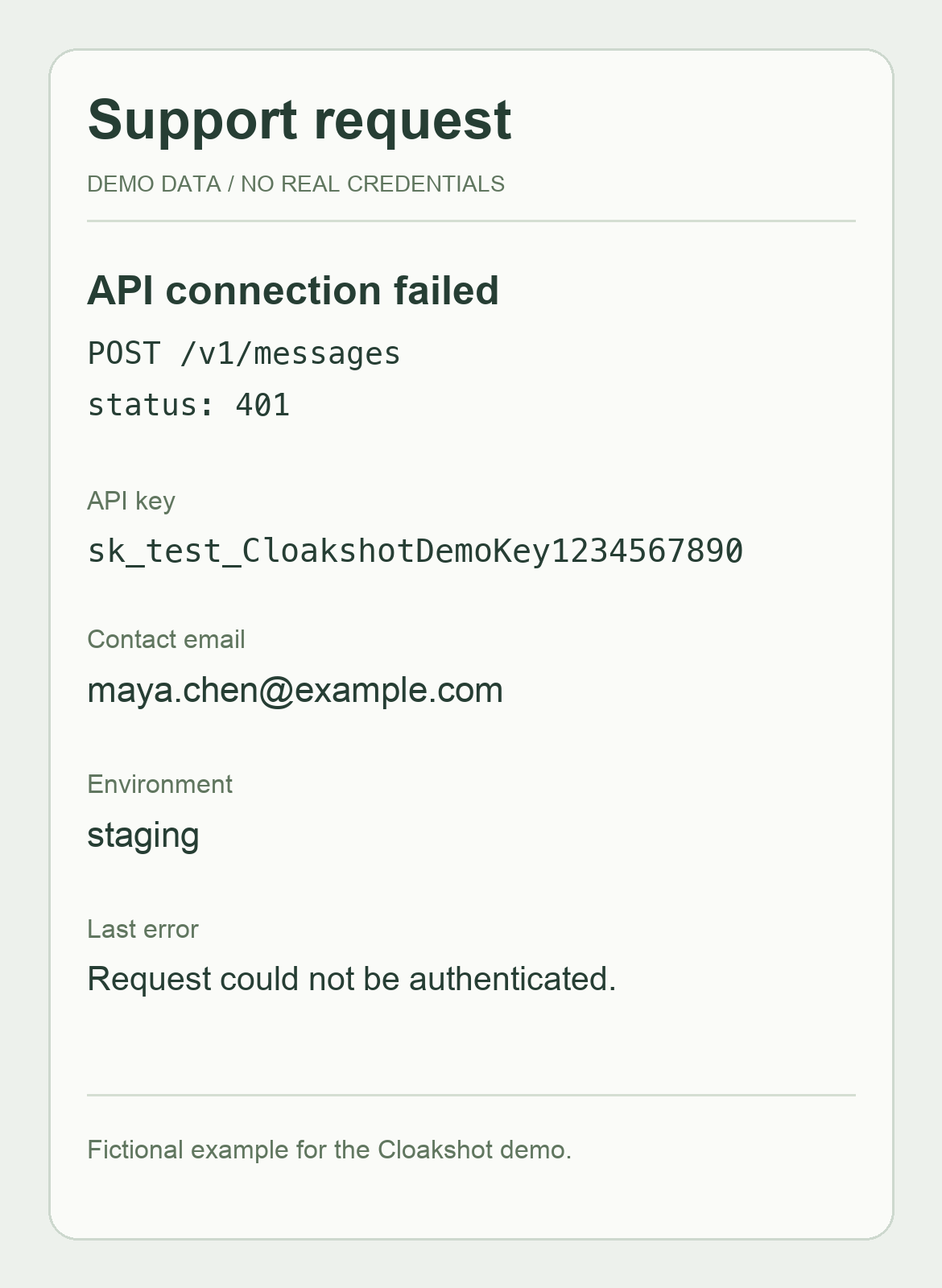
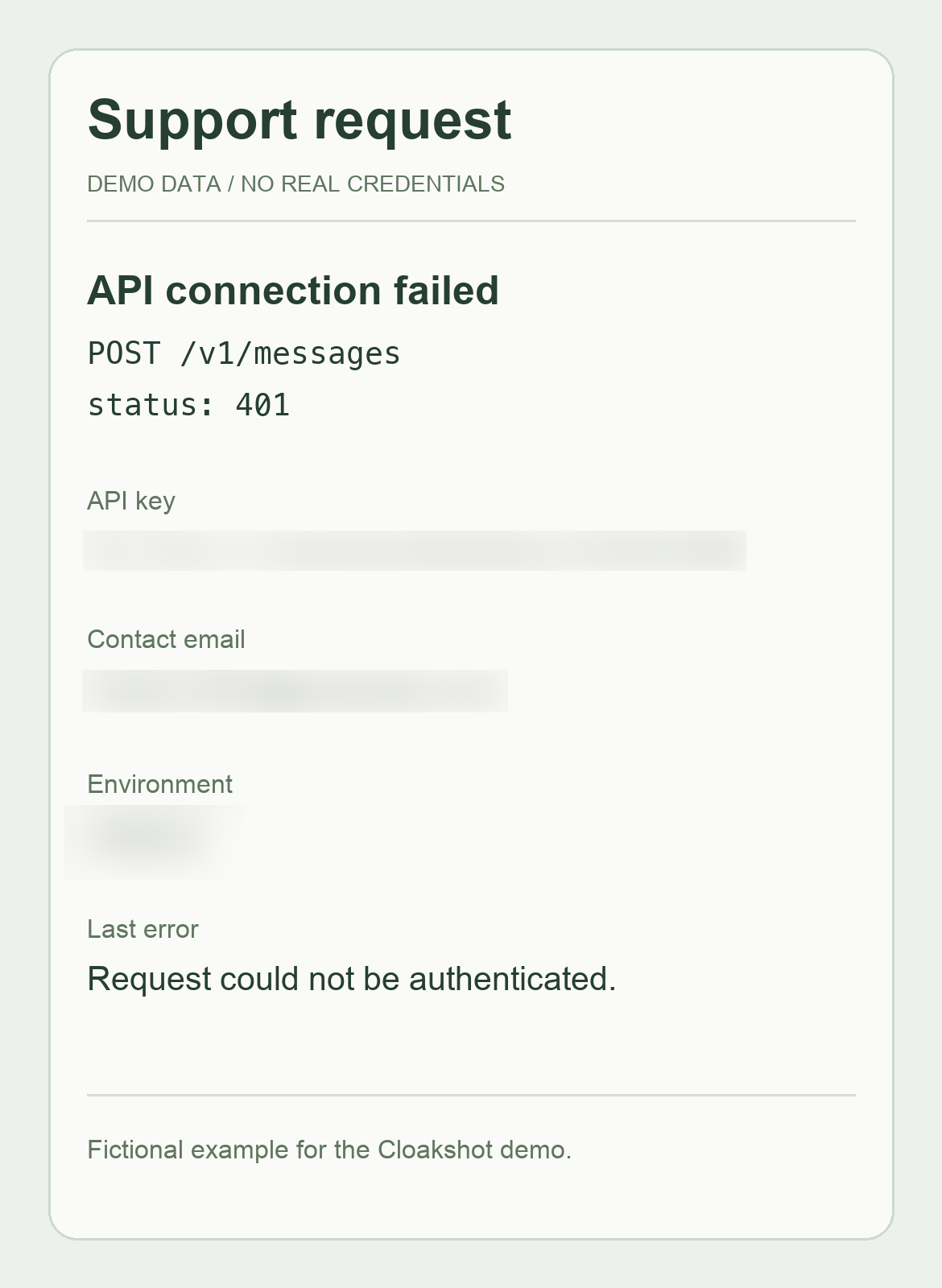
The support screenshot example pairs a fictional input with the PNG actually exported by Cloakshot. The request path, status and error remain readable; the made-up key, contact email and environment are covered.
Download the fictional input and the example export. This sample uses Blur. Use it to inspect the workflow; choose Solid black when trying it with a real credential.
Download the example checklist for the details to hide, context to keep and output checks. These are maker-provided examples, with no claim of an independent security audit.
When to use a screenshot redactor
Cloakshot is useful when an image has several possible private details, when you need to hide part of a word, or when you want to review metadata and the final copy before sharing.
A simple photo editor may be enough for one obvious area, provided you can apply an opaque block and check the saved result. Cloakshot's suggestions still need your review: detection can miss a field or highlight the wrong area.
Check another approach if you need a desktop browser extension, batch document redaction or permanent free export. Compare the two editing workflows.
Contact the maker
Cloakshot is made and maintained by Spawn Lau. Read Support or email spawnlauplay@gmail.com. Include your platform and app version. Use fictional data or a redacted image when reporting a problem.